TextUI
License: LGPL-3.0 (GNU Lesser General Public License v3.0)
This resource is based on ox_lib which is licensed under LGPL-3.0.
⚠️ This redesign is a paid product. Only verified purchasers are eligible for support and updates. Unverified users will not receive any assistance under any circumstances.
Overview
TextUI displays a key prompt overlay on screen (e.g., [E] Interact). The design automatically follows the ox:notify convar — no separate convar needed.
# config.cfg
set ox:notify 0
TextUI shares the same convar as Notification to maintain visual consistency.
Designs
ox:notify |
Notification | TextUI |
|---|---|---|
0 |
Default | Default — theme CSS variables |
1 |
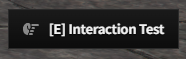
Quest Tracker | Quest — dark compact (#1a1a1a) |
2 |
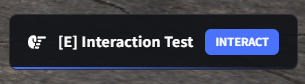
Agent Card | Agent — glass card with accent bar |
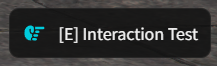
Design 0 — Default
Design 1 — Quest
Design 2 — Agent
Usage
lib.showTextUI(text, options?)
-- Simple text
lib.showTextUI('[E] - Open Door')

-- With icon
lib.showTextUI('[E] - Search', {
    position = 'right-center',
    icon = 'magnifying-glass',
})

-- With icon color and position
lib.showTextUI('[E] - Interact', {
    position = 'top-center',
    icon = 'hand',
    iconColor = '#3b82f6',
})
lib.hideTextUI()
lib.hideTextUI()
lib.isTextUIOpen()
local isOpen = lib.isTextUIOpen() -- boolean
Parameters
| Field | Type | Default | Description |
|---|---|---|---|
text |
string |
— | Display text (supports Markdown) |
position |
string? |
'right-center' |
Screen position |
icon |
string? |
— | FontAwesome icon name |
iconColor |
string? |
— | Icon color |
iconAnimation |
string? |
— | 'spin', 'pulse', 'beat', etc. |
style |
table? |
— | Custom CSS styles |
alignIcon |
string? |
'center' |
'top' or 'center' |
Position Options
| Value | Location |
|---|---|
right-center |
Middle right (default) |
left-center |
Middle left |
top-center |
Top center |
bottom-center |
Bottom center |
Examples
Vehicle interaction
-- Show when near vehicle
lib.showTextUI('[E] - Enter Vehicle', {
    icon = 'car',
    iconColor = '#10b981',
})

-- Hide when player moves away
lib.hideTextUI()
ATM prompt
lib.showTextUI('[E] - Use ATM', {
    position = 'right-center',
    icon = 'credit-card',
})
Crafting station
lib.showTextUI('[E] - Open Crafting Table', {
    position = 'left-center',
    icon = 'hammer',
    iconColor = '#f59e0b',
})
Last updated: 2026-02-18